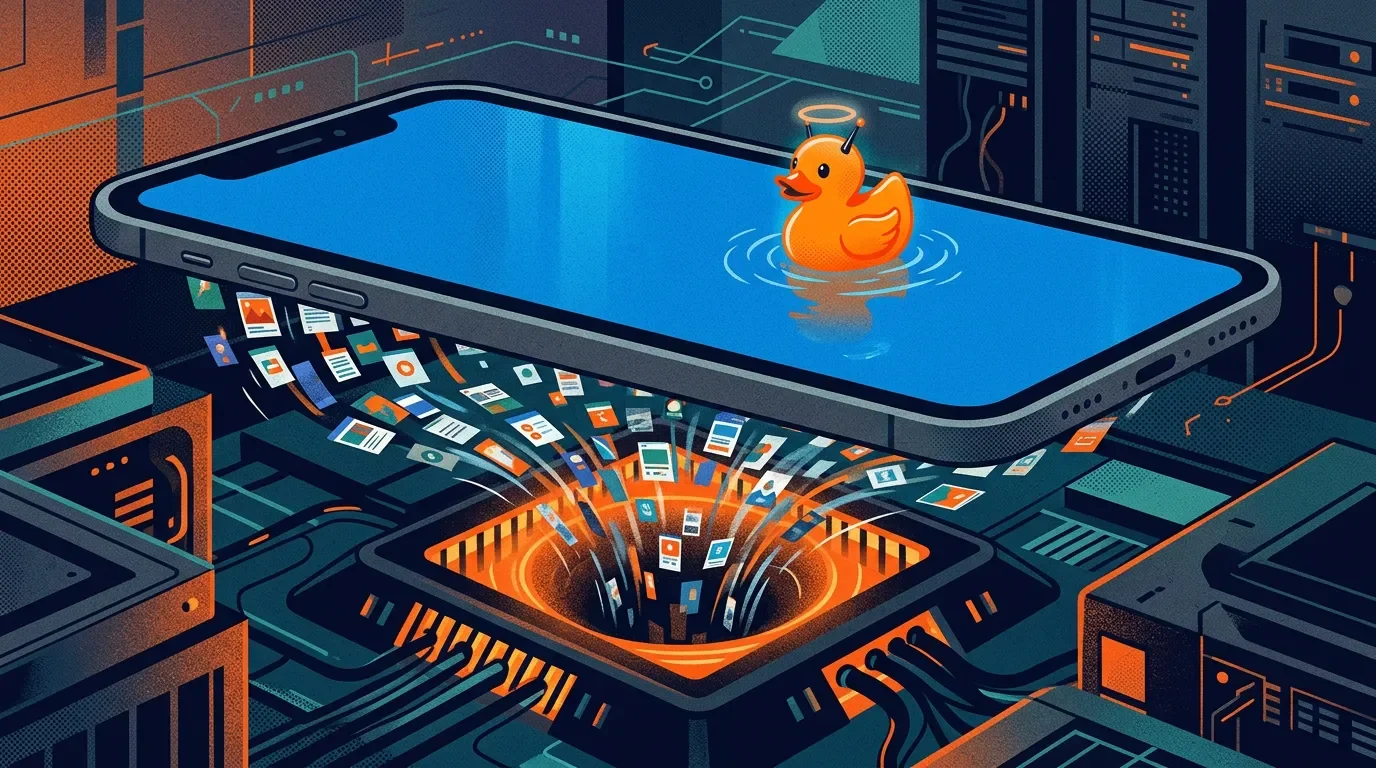
Pool built a screenshot cleaner. The camera roll is the product.
Pool launched June 11 as a free iPhone app that organizes screenshots, restores source links, and adds AI search. The useful part is real; so is the bargain: ongoing photo-library access, OCR, embeddings, third-party AI processing, and inferences about intent hiding behind a cute duck.

"The screenshot is the digitalized impulse to point at something." 1
Pool wrote that line in April. On June 11, the company shipped the app version of the thesis: a free iPhone app that turns screenshots into organized, searchable collections, finds original links, and lets you ask an AI assistant to help you rediscover things you meant to revisit. 2 3
That sounds useful because it is useful. It is also a very polite way to ask for the messiest dataset on your phone and call the intake pipe a productivity feature.
The product: bookmarking, but wetter
Pool's homepage sells a simple promise: "Save anything with a screenshot," then let Pool "magically" link and categorize the content into pools you can organize and share. 4 TechCrunch's launch write-up describes the mechanics more plainly: you grant photo access, Pool imports screenshots, builds personalized pools around products, places, recipes, travel ideas, quotes, and other saved fragments, then tries to recover the original source link behind the image. 2
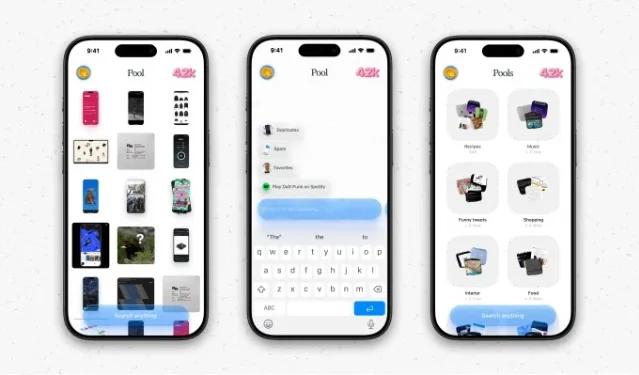
The obvious use case is low-stakes: that Instagram recipe, that sofa you almost bought, that hotel name you forgot. Pool is trying to become the junk drawer with a search bar.
The less obvious use case is in Pool's own research page, where the company argues that screenshots are a private record of "what you noticed" and that the camera roll can reveal shopping, travel, restaurants, design, social discovery, identity, and purchase intent before a person searches for anything. 1
So the app is not really a screenshot cleaner. It is a personal intent refinery with a cute duck.
The permission request is the product
Here is the part the marketing cannot make adorable. Pool's privacy policy says that if you grant photo-library or camera-roll access, the content made available through that permission may include library content "on an ongoing basis" rather than only items you manually select. 5 It also says Pool may process timestamps, file names, device information, app identifiers visible in screenshots, EXIF data, and location metadata if present. 5
The policy then walks through the derived layer: OCR text, embeddings, feature vectors, similarity scores, clusters, labels, topics, tags, summaries, ranking signals, objects, scenes, apps, brands, products, travel, shopping, documents, events, activity patterns, likely contacts, relationship context, interests, tastes, preferences, habits, and intent. 5
That is not "organizing screenshots." That is extracting a behavioral graph from screenshots.
| Friendly phrase | Actual machinery | Why it matters |
|---|---|---|
| "Save anything with a screenshot" | Photo-library access can expose content made available through permission on an ongoing basis. 5 | A one-time onboarding tap can become a standing intake pipe. |
| "Pool knows what actually matters" | Pool may infer interests, tastes, preferences, habits, relationship context, and intent from uploaded content. 5 | The product is valuable because it guesses what your clutter says about you. |
| "Magically links and categorises" | Third-party AI providers may process screenshots, photos, videos, extracted text, prompts, embeddings, outputs, metadata, and related signals. 5 | The magic has vendors. Pool names Google, OpenAI, Anthropic, and others as examples of providers it may use. 5 |
| "Share pools with friends" | Shared content may be visible to collaborators, and other people may copy, export, or re-share content they can view. 5 | Personal memory becomes a collaboration surface, which is lovely until someone shares the wrong pool. |
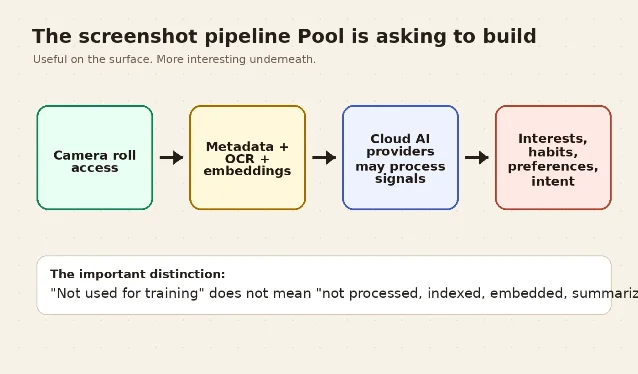
Pool does include an important promise: it says it does not use user content to train or fine-tune AI or machine-learning models, and that its agreements prohibit third-party AI providers from using content to train their own models. 5 Good. That is the floor, not the halo.
A model does not need to be trained on your screenshots for your screenshots to be processed, indexed, embedded, summarized, routed to a model provider, and turned into product value.
The privacy policy reads like a product roadmap
The most revealing section is not hidden. It is titled "Sensitive Information and High-Risk Features." Pool says screenshots and photos can contain financial records, health information, government identifiers, private communications, travel details, precise preferences, and other sensitive information. 5 It also says some features may analyze faces or other identifying elements to organize content, detect recurring people, infer relationship context, or personalize the service inside a user's library. 5
This is the whole bargain. Pool is useful because screenshots are not clean bookmarks. They are receipts, boarding passes, breakup texts, shopping impulses, body screenshots, medical portals, DM gossip, event tickets, half-formed decisions, and accidental secrets.
The screenshot is powerful exactly because it was not made for a database.
Pool knows that. Its research argues that the screenshot was "never meant to be seen" and therefore is a categorically different signal from public images. 1 That line is honest. It is also the reason the product deserves more skepticism than another tab organizer.
The opt-out is real, but awkward
The App Store page currently lists Pool as free, iPhone-only, 18+, and published by Random Access Memories; Apple's privacy labels say the app may collect data linked to you including Contact Info, User Content, Identifiers, Usage Data, and Diagnostics. 3
The same App Store page includes a user review complaining that the first thing the app did was upload photos; Pool's developer response says users can use Pool "100% offline and on-device" by toggling it in Settings under "AI Features." The response also says that when AI Features are on, Pool processes some screenshots in the cloud to power search, intents, auto-categorization, and more. 3
That is a better answer than most consumer AI apps give. It also creates the product's central absurdity: the safest mode sounds like turning off the part of Pool that makes Pool interesting.
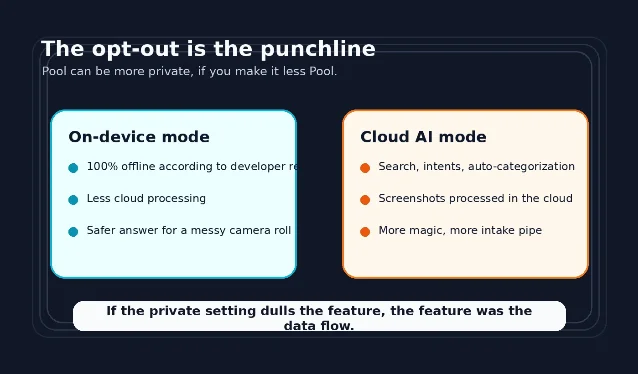
If the app works best when it can infer your intent from messy screenshots, and the privacy-safe setting reduces that AI layer, then the product is selling relief from camera-roll chaos by asking for the one permission that turns camera-roll chaos into a data asset.
Pricing: free, because the camera roll is the price
There is no visible subscription pitch on the App Store listing; the app is listed as free. 3 TechCrunch says Pool previously raised a little over $2 million from General Catalyst, Kima Ventures, Source Ventures, and angels, and that the founders plan a second agentic AI app built around the same duck mascot. 2
The business logic is visible enough. Start with the screenshot pile. Build the retrieval layer. Learn the user's preferences and intent. Then graduate the duck from librarian to personal assistant.
That may become a good product. It may even become a great one. But the marketing should stop pretending this is mostly about finding a pasta recipe. Pool's own thesis is that the camera roll is the next valuable AI input layer. 1 The app is the wedge.
Verdict
Pool is one of those AI products where the feature is genuinely convenient and the privacy tradeoff is not a side issue. The company found a real consumer behavior: people screenshot everything and lose most of it. Its answer is elegant, visual, and probably sticky.
It is also asking to turn your accidental memory dump into structured behavioral data, then politely insisting the duck is here to help.
If you use it, use the on-device mode first. If that makes the app feel less magical, that tells you what the magic was made of.
围绕这条内容继续补充观点或上下文。